
Estimated reading time: 9 minutes
Quick Answer
To build a programmable glowing Halloween costume or prop, you need three core components: a 5V or 12V addressable LED strip (such as WS2812B), a compact controller (like ESP32/ESP8266), and a portable power bank. The most common mistakes are: overlooking battery current limits, and failing to protect the data wires from flexing. This guide covers hardware selection, WLED setup, and troubleshooting — so you can go from parts to party-ready in one evening.
Introduction: Why Addressable LEDs Change Everything
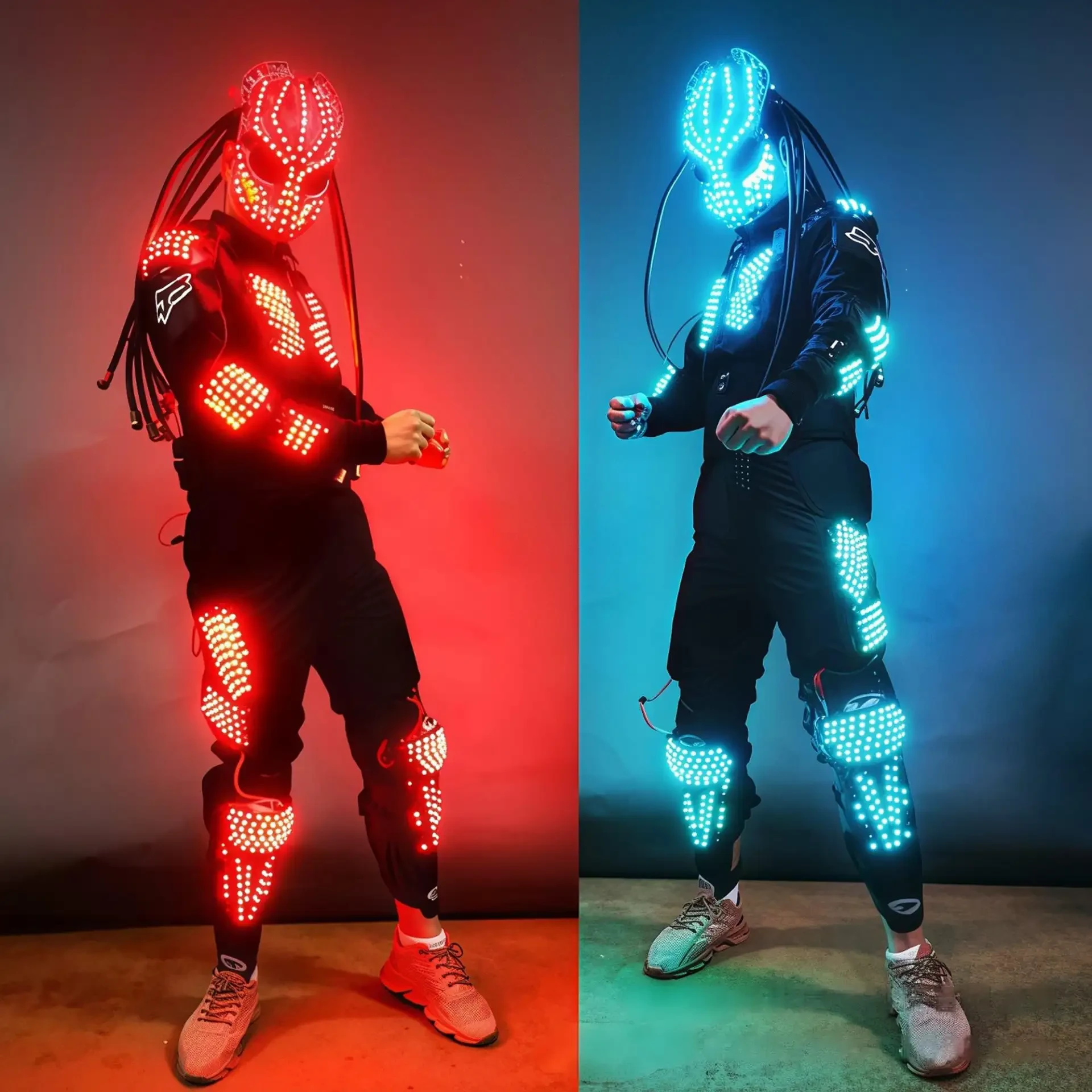
Ordinary glowing masks and pumpkin lights are boring. You want to be the standout at the Halloween party — a Cyberpunk glowing suit, a Ghost Rider skull, or a sci-fi armor piece.
What makes addressable LEDs different? Unlike standard LED strips where all bulbs change color together, addressable LEDs (like WS2812B) allow each individual bulb to be controlled independently for color and brightness.
This guide takes you from hardware selection to WLED setup and troubleshooting.
1. Hardware Selection: What LEDs Should You Buy?
LED Density: 30 vs. 60 LEDs/m
Density | Brightness | Best For |
|---|---|---|
30 LEDs/m | Moderate | Large props, low-power costumes |
60 LEDs/m | High | Costumes, helmets, close-view wearables |
For costumes, 60 LEDs/m provides a brighter, more continuous light. For large props, 30 LEDs/m is sufficient.
LED Type: WS2812B vs. SK6812
Type | Feature | Best For |
|---|---|---|
WS2812B | RGB only, cost-effective | Color effects, general use |
SK6812 | RGB + dedicated white channel | Pure white skulls, ghosts, white armor |
If your costume needs pure white (like a glowing skull or ghost), choose SK6812. For colorful effects, WS2812B is cost-effective and widely compatible.
Voltage: 5V vs. 12V
Voltage | Best For | Why |
|---|---|---|
5V | Wearable costumes | Most power banks are 5V; thin, lightweight |
12V | Large props, carts | Reduced voltage drop over long runs |
For wearables, 5V is the practical choice — power banks are easy to source and lightweight.
Special Shapes
Shape | Application |
|---|---|
LED Matrix | Animated faces, skulls, eyes |
LED Ring | Glowing eyes, circular accents |
Flexible Silicone Strip | Curved helmets, organic shapes |
Fairy Lights vs. Addressable LEDs
Ordinary copper fairy lights only offer steady-on or simple flashing — no animations. For dynamic effects, you must choose addressable LEDs.
2. Power & Safety: How to Power Addressable LEDs from a Power Bank
Calculate Your Power Bank Capacity
Do not just plug it in and hope. Here's a quick estimate:
60 WS2812B LEDs at full white draw approximately 3.6A
A standard 10,000mAh power bank provides about 2.5–3 hours of runtime at full brightness
Recommendation: run at reduced brightness or limit maximum current in the controller settings
Fix the "Power Bank Auto-Shutoff" Problem
Most power banks have a low-current protection feature — if the pixel lights draw too little power, the power bank assumes the device is fully charged and shuts off.
Solutions:
Increase the minimum brightness in the controller firmware
Add a small constant load (a tiny resistor or a small bulb) in parallel as a "dummy load"
Wiring & Connectors
Use a USB cable with an inline switch — easy to turn off when putting on or taking off the costume
Keep the controller in a small plastic box or heat-shrink tubing to protect against sweat and moisture
3. Control Setup: WLED vs. FastLED
For Beginners: WLED + ESP32/ESP8266
No programming required. Connect via Wi-Fi and control from your phone's browser.
Recommended Halloween presets:
Preset | Effect |
|---|---|
Breathe | Ghostly breathing glow |
Lightning | Random flashing |
Fire 2012 | Realistic flame effect |
Chase | Stranger Things-style running lights |
For Advanced Users: FastLED Library
Use Arduino to write custom code for complex LED matrix animations — such as a talking skull with voice interaction.
Hiding the Controller and Wires
Place the controller in a small plastic box or heat-shrink tubing
Leave slack in the wiring at joints (knees, elbows) to prevent pulling and breakage
4. Troubleshooting: Why Won't My DIY Lights Work?
Symptom 1: Only the First LED Lights Up, the Rest Are Dead
Cause: The data line direction is reversed (check the DI and DO arrows on the strip), or the first LED is burned out.
Fix: Verify the data flow direction. Replace the first LED if necessary.
Symptom 2: Random Flickering When Wearing the Costume
Cause: Grounding issue — the controller and LED strip must share a common ground (GND). Or the wire has been physically stressed during movement, causing a partial break.
Fix: Ensure the controller and strip are properly grounded. Reinforce wire connections at flex points.
Symptom 3: Wrong Colors (e.g., Red Shows as Green)
Cause: Data line interference.
Fix: Add a 330Ω resistor in series on the data line from the controller to the first LED. Add a 1000μF capacitor between the power supply's positive and negative terminals. This is the classic WS2812B anti-flicker and anti-burn protection circuit.
Testing Tip
Always test the entire setup on a table before sewing it into the costume or gluing it into the prop.
FAQ: Halloween Addressable LED Costumes & Props
Q1: What is the best addressable LED for a Halloween costume?
For costumes, WS2812B at 60 LEDs/m is the most popular choice — cost-effective, widely compatible, and bright enough for close viewing. For pure white effects (skulls, ghosts), choose SK6812 with its dedicated white channel.
Q2: How long will a power bank last for my LED costume?
A standard 10,000mAh power bank can run 60 WS2812B LEDs at full white for approximately 2.5–3 hours. At reduced brightness or with fewer LEDs, runtime extends significantly. Always calculate your load before the event.
Q3: Why does my power bank shut off when I connect my LED costume?
Most power banks have low-current protection — if the LEDs draw too little power, the power bank assumes charging is complete and shuts off. Fix it by increasing minimum brightness in the controller, or adding a small dummy load in parallel.
Q4: Why are my WS2812B LEDs flickering in my costume?
Flickering is usually caused by:
Grounding issues — controller and strip must share a common ground
Data line interference — add a 330Ω resistor on the data line
Physical wire stress — wires may be partially broken at flex points
Q5: Can I use fairy lights for a Halloween costume instead of addressable LEDs?
No. Fairy lights only offer steady-on or simple flashing — they cannot produce animations, color changes, or dynamic effects. For a programmable costume or prop, you must use addressable LEDs.
Q6: How do I hide the controller and wires in my costume?
Place the controller in a small plastic box or heat-shrink tubing. Route wires along seams and leave slack at joints. Use USB cables with inline switches for easy on/off control.
Summary
Consideration | Recommendation |
|---|---|
LED Type | WS2812B (RGB) or SK6812 (RGBW for pure white) |
Density | 60 LEDs/m for costumes; 30 LEDs/m for large props |
Voltage | 5V for wearables; 12V for large props |
Power | 10,000mAh power bank = ~2.5–3 hours at full white |
Controller | ESP32/ESP8266 with WLED for easy setup |
Protection | 330Ω resistor + 1000μF capacitor for WS2812B |
Testing | Always test before final installation |
Related Reading
Custom SK6812-3535 S-Shape LED Strip – Overcoming Design Challenges for a Client →
LED Festival Lighting Supplier Guide: Sourcing Wholesale Holiday and Event Decorative Lights →
Need Addressable LEDs for Your Halloween Costume or Prop?
We supply WS2812B and SK6812 addressable LED strips, matrices, rings, and protective components (resistors, capacitors) for DIY Halloween projects.
👉 Contact Us Today for samples, technical support, or a quote.